

How to Download Form 1099-R
Retired members, this is the easiest and fastest way to view and print your form 1099-R.
Please Note: If you prefer to wait for a hard copy of your 1099-R tax form, it will be mailed to your address on file via U.S. mail on January 31. Please allow up to 10 business days to receive your 1099-R by mail.
Important: In order to access your information, you must first register to the MyLAFPP member portal. Please refer to the MyLAFPP Helpdesk on how to register and other helpful self-service “How-to’s.”
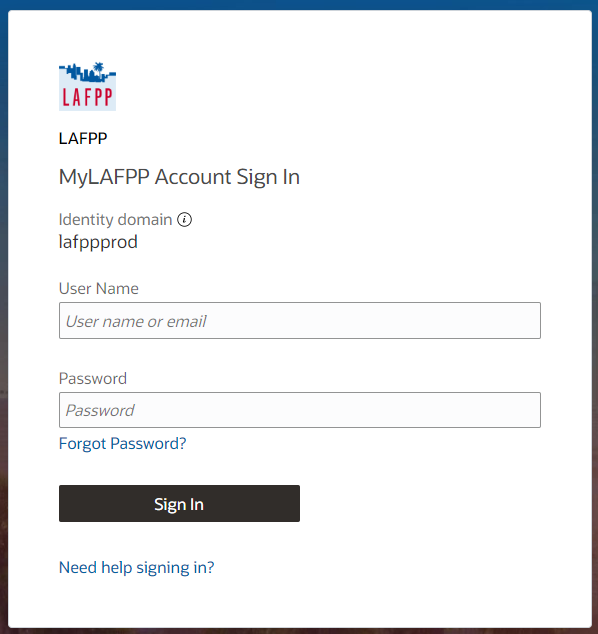
STEP 1: Log in to MyLAFPP. Enter your username and password, then click Log In.
Important: Passwords are case sensitive.
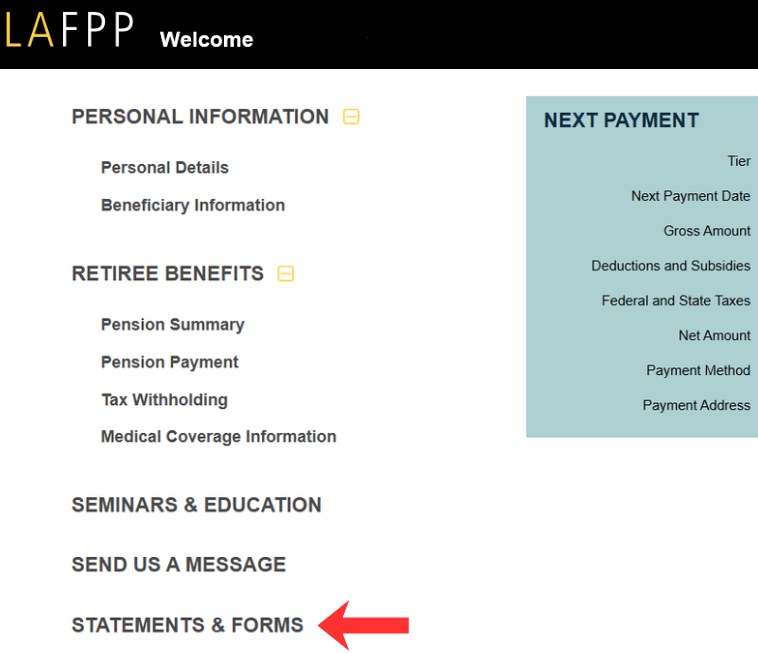
STEP 2: Click on “Statements & Forms”
STEP 3: Click “Statements”
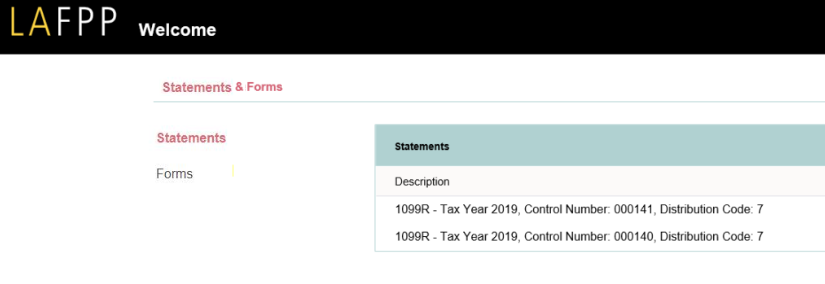
STEP 4: Click “Document” to Open or Download Your Form 1099R

Contact Us
If you require further assistance, please contact the Retirement Services Section at (213) 279-3125 or (844) 88-LAFPP ext. 3125, Monday-Friday from 7:30 a.m. to 4:30 p.m. (PDT), excluding weekends and City Holidays.